Two ways to analyse
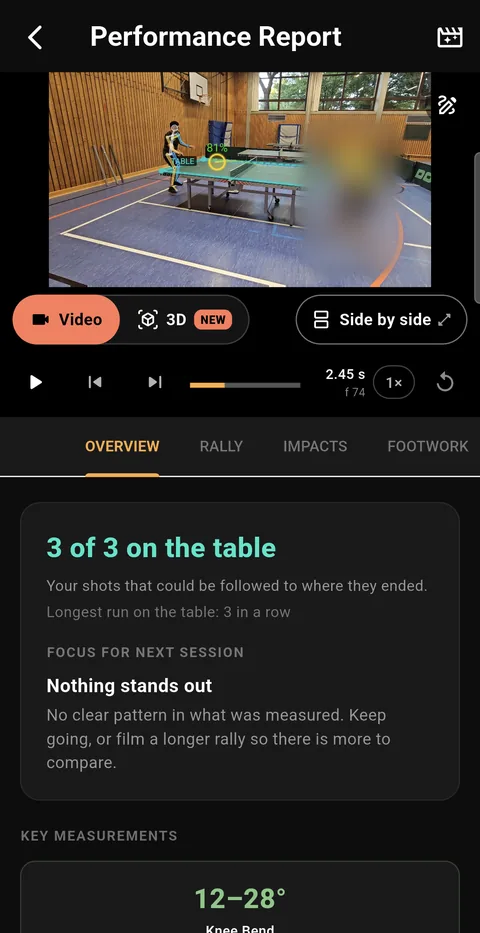
- Performance Analysis is automatic and covers a whole clip: every bounce, how each shot and rally ended, and your footwork.
- Stroke Analysis is a guided step-by-step check of one serve, receive or rally shot.
What the Performance Report shows
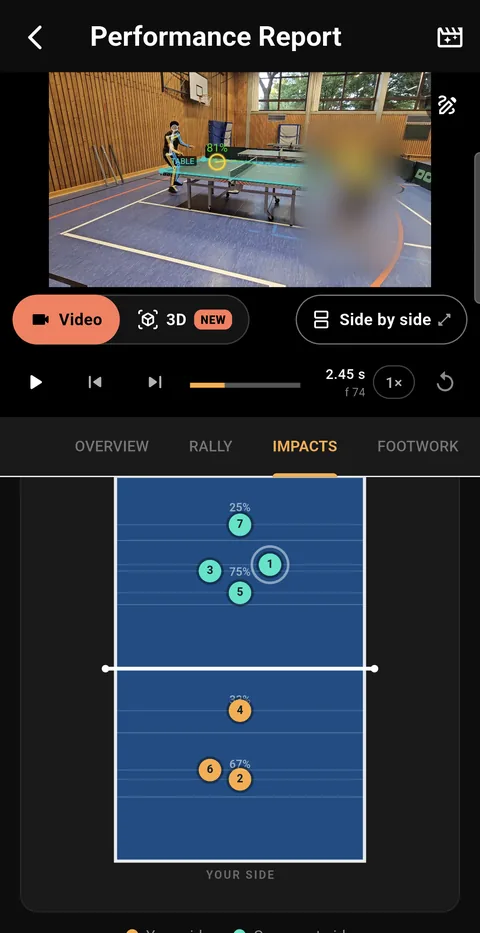
- Every bounce of the rally as a numbered dot on a top-down table.
- How each of your shots ended — on the table, in the net or long — and how the rally ended.
- Your serves by length: short, half-long or long.
- Your stance and your distance to the table over the rally.
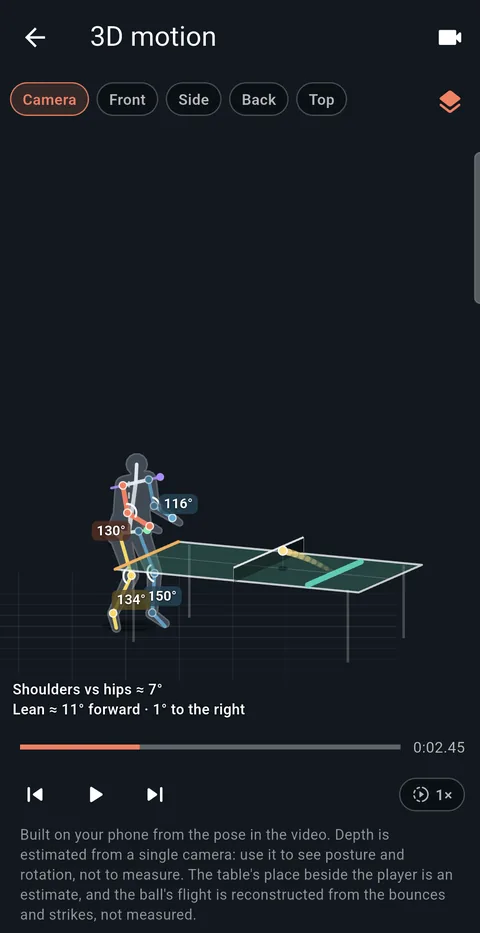
- Your stroke as a 3D figure you can turn to any angle, right beside the video.
Stroke Analysis
For a single shot, Stroke Analysis measures contact height, angle and timing, and shows the stroke as a 3D figure you can turn, zoom and pause.
How to film
You need one phone and something to stand it on. Before the first analysis you mark the table’s corners once, end by end. For the best results:
- Fixed/tripod camera: Static camera gives the most reliable table and player detection.
- Camera at a corner, raised: Stand the phone near a corner of the table and a little above waist height. Straight down the end line loses depth and hides the body angles; flat side-on loses left/right placement. A raised corner gives you both.
- Good lighting: Well-lit scenes significantly improve pose accuracy.
- Player fills 1/3+ of frame: Larger apparent player size = sharper skeleton points.
Avoid:
- Moving / handheld camera: Camera shake breaks table corner tracking and makes distances inaccurate.
- Player very far from camera: Tiny player silhouette causes keypoint detection to fail. Crop first.
- Cluttered background: Extra people or furniture can confuse player selection — use the tap-to-select step.
Found something to work on? The drills by topic and training plans take it from there.
Your video stays on your phone
The analysis runs on the phone itself. Your videos and their results are kept in the app’s private storage and are not uploaded to Trainoro. The optional AI coaching sends text and numbers to the AI provider you choose, using your own API key — never your videos or analysis images. Details are in the Privacy Policy.

Try it on your own rally
Video analysis is free to try: the first 3 seconds of any video, as often as you like. The full analysis is part of the paid plans.
-
Google Play
 Install
- App Store Coming soonfor iPhone Early access
Scan a code with your phone's camera, or tap the link.